 Xcessible
Catch SwiftUI accessibility bugs before your users do.
Xcessible statically audits your Xcode project's SwiftUI source for accessibility issues — no build, no simulator, near-zero false positives. Get a prioritized, explained dashboard with one-click fixes.
Available on the Mac App Store · Free tier · macOS 14+ · Your code never leaves your Mac
Accessibility debt is easy to ship and hard to see
Invisible in code review
A missing accessibility label looks identical to correct code. Issues sail through review and ship straight to users who rely on VoiceOver.
Now a legal requirement
The EU Accessibility Act came into force in June 2025. Inaccessible apps are no longer just bad UX — they're a compliance liability.
Existing tools make you build first
Runtime audits need the app to compile and run in a simulator. Xcessible reads your source directly, so it works even on a project that doesn't build.
From project to fix in three steps
Tip: click any screenshot to view it full-size.
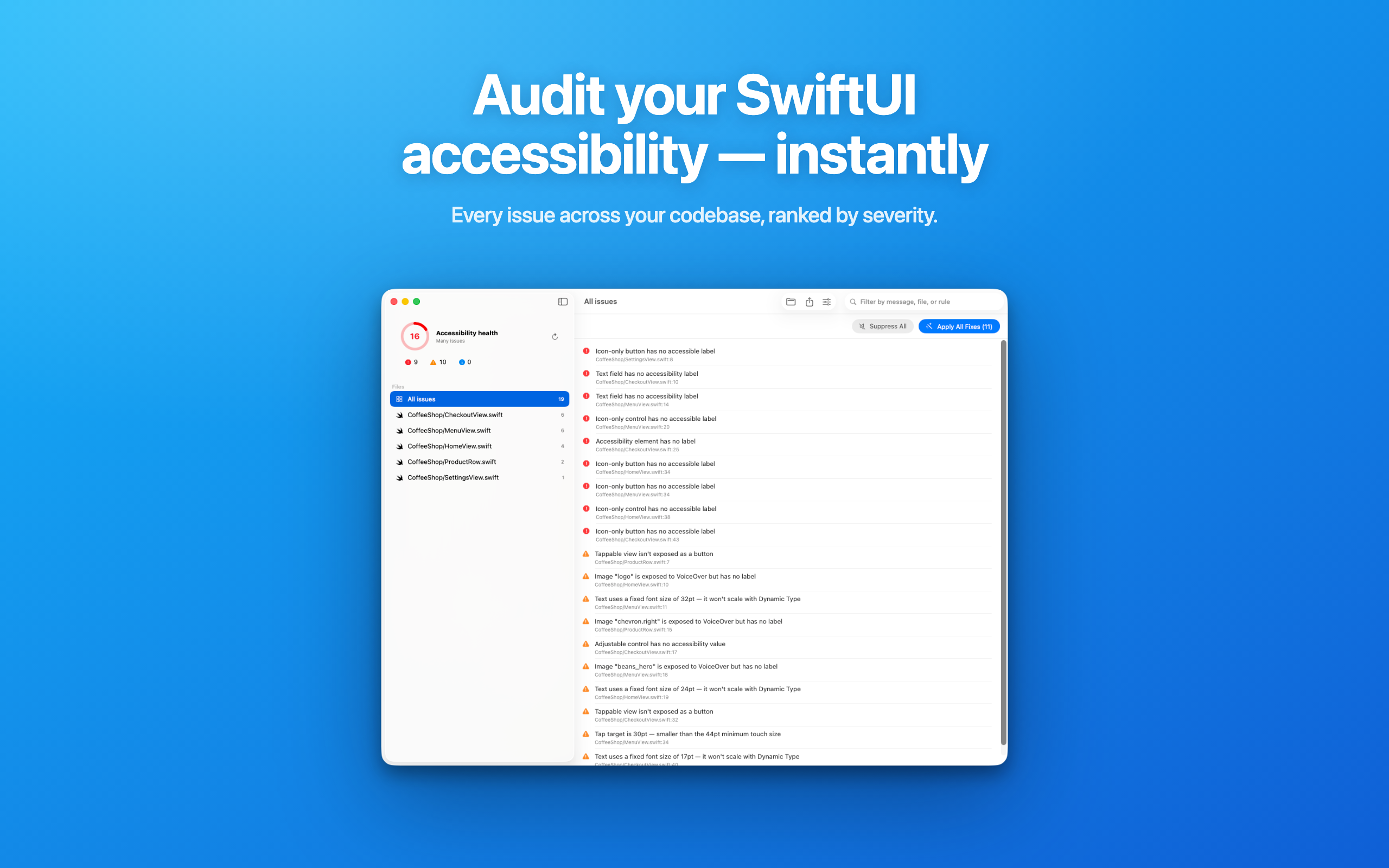
Point it at your Xcode project
Select your project folder. No build, no scheme, no simulator — Xcessible reads the SwiftUI source directly.
 Click to enlarge
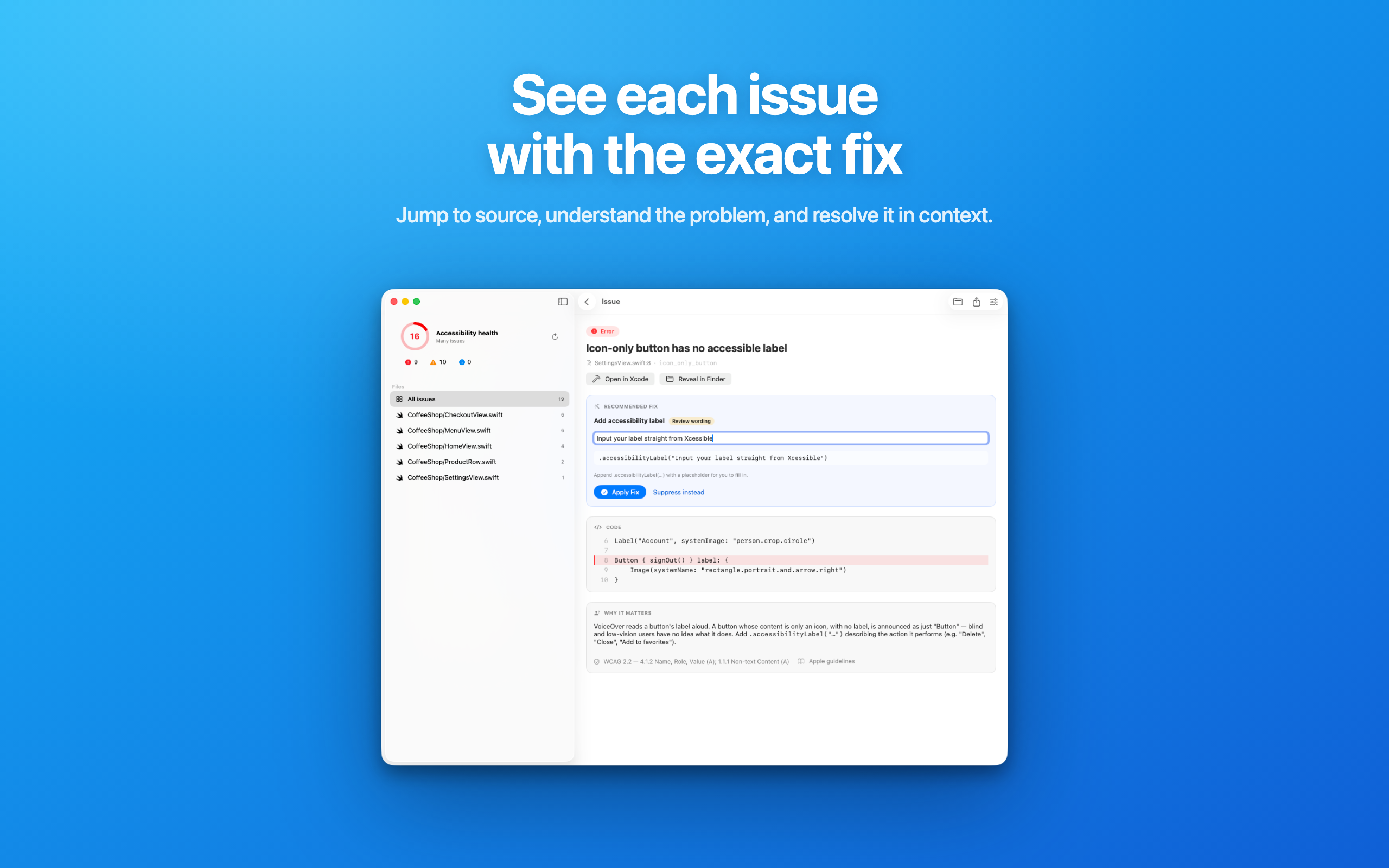
Get a prioritized, explained dashboard
Every finding is grouped by file, mapped to a WCAG criterion, and explained — why it matters and exactly what VoiceOver does.
 Click to enlarge
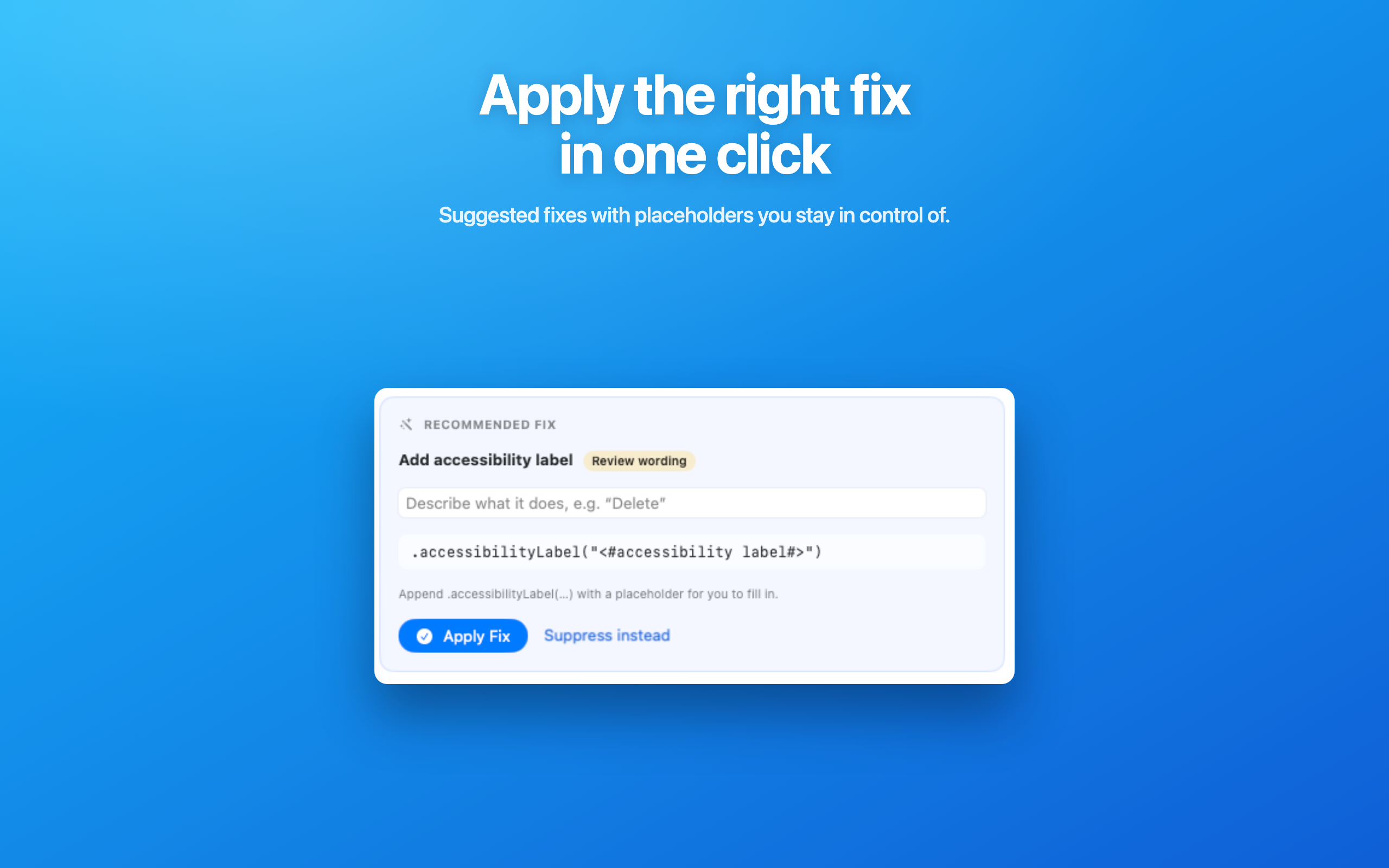
Apply a one-click fix or export a report
Accept a deterministic source fix and write it straight back to your file — or export a WCAG-mapped compliance report.
 Click to enlarge
Precision you can actually trust
A naive linter that flags every image without a label is noise. Xcessible is built the opposite way — to only speak up when it's right.
Near-zero false positives
Models SwiftUI's implicit accessibility — the labels the framework already synthesizes — so it doesn't nag you about code that's already correct. That precision is the whole point.
9 context-aware rules
Icon-only buttons & controls, unlabeled images, tappable-not-button, empty text fields, fixed font sizes, small tap targets, unlabeled accessibility elements, and adjustable-without-value.
One-click deterministic fixes
Suggest-and-apply edits write straight back to your source via SwiftSyntax. No AI guesswork on something that has to be exactly right.
WCAG-mapped compliance report
Export a self-contained, auditor- and legal-readable HTML report — every finding tied to its WCAG criterion and level.
Per-rule settings
Toggle any rule on or off. Your team decides what to enforce; settings persist across scans.
Health score & grouping
A single project health score plus findings grouped by file, so you always know where to start.
Inline suppressions
Silence a known-good case with a // xcessible:disable comment — line-scoped and rule-scoped, right in the source.
No build required
Static analysis means Xcessible works even when your project doesn't compile. The biggest adoption wall — building cleanly — is gone.
Why not the tools you already have?
Runtime-only — covers what's on screen, needs the app built and running. Misses the static layer: decorative images, Dynamic Type, localization.
Priced for enterprise (hundreds of dollars per dev) and not SwiftUI-native. Xcessible is a fraction of the cost and speaks SwiftUI.
Regex-level checks flag every image without a label — high noise, no understanding of implicit accessibility. Xcessible models the framework's behavior instead.
See it in action
Compliance you can hand to an auditor
The EU Accessibility Act is in force. Xcessible exports a self-contained, WCAG-mapped HTML report — every finding tied to its criterion and conformance level, ready to print to PDF for your legal or compliance team.
An honest note: static analysis is a powerful first line of defense, but it is not a substitute for a full accessibility audit or manual testing with assistive technology. Xcessible says so directly in every report it generates — because the trust is the product.
Simple pricing
Start free. Upgrade when you need uncapped findings and compliance exports.
Free
$0 / forever
- ✓Full project scan, all 9 rules
- ✓5 findings per selection
- ✓Health score & WCAG mapping
Pro
$99 / year
- ✓Everything in Free
- ✓Uncapped findings
- ✓One-click fixes
- ✓WCAG compliance report export
- ✓Custom rule sets
- ✓Ongoing rule updates
Includes a free-trial introductory offer via the App Store.
Frequently asked
Does my project need to build or compile?+
No. Xcessible reads your SwiftUI source statically, so it works even on a project that doesn't currently compile — no scheme, no simulator, no run.
Does it change my code?+
Only when you explicitly accept a fix. Every fix is suggested first and shown in full; nothing is rewritten automatically.
Does it upload my code anywhere?+
No. Xcessible runs entirely on your Mac. Your source never leaves your machine — there's no account required to scan.
What does it cover?+
SwiftUI source today, across 9 context-aware accessibility rules mapped to WCAG. UIKit, storyboards/XIB, and asset-catalog contrast are on the roadmap.
What macOS version do I need?+
macOS 14 (Sonoma) or later.
Ship accessible SwiftUI
Download Xcessible and start finding your accessibility issues today.